i got so sick of editing my videos that i built my own ai editor. here's the exact stack.
not a generator. a real editor. transcribe, cut, illustrate, caption, render. one conversation, two open-source tools, and Claude Code as the glue.
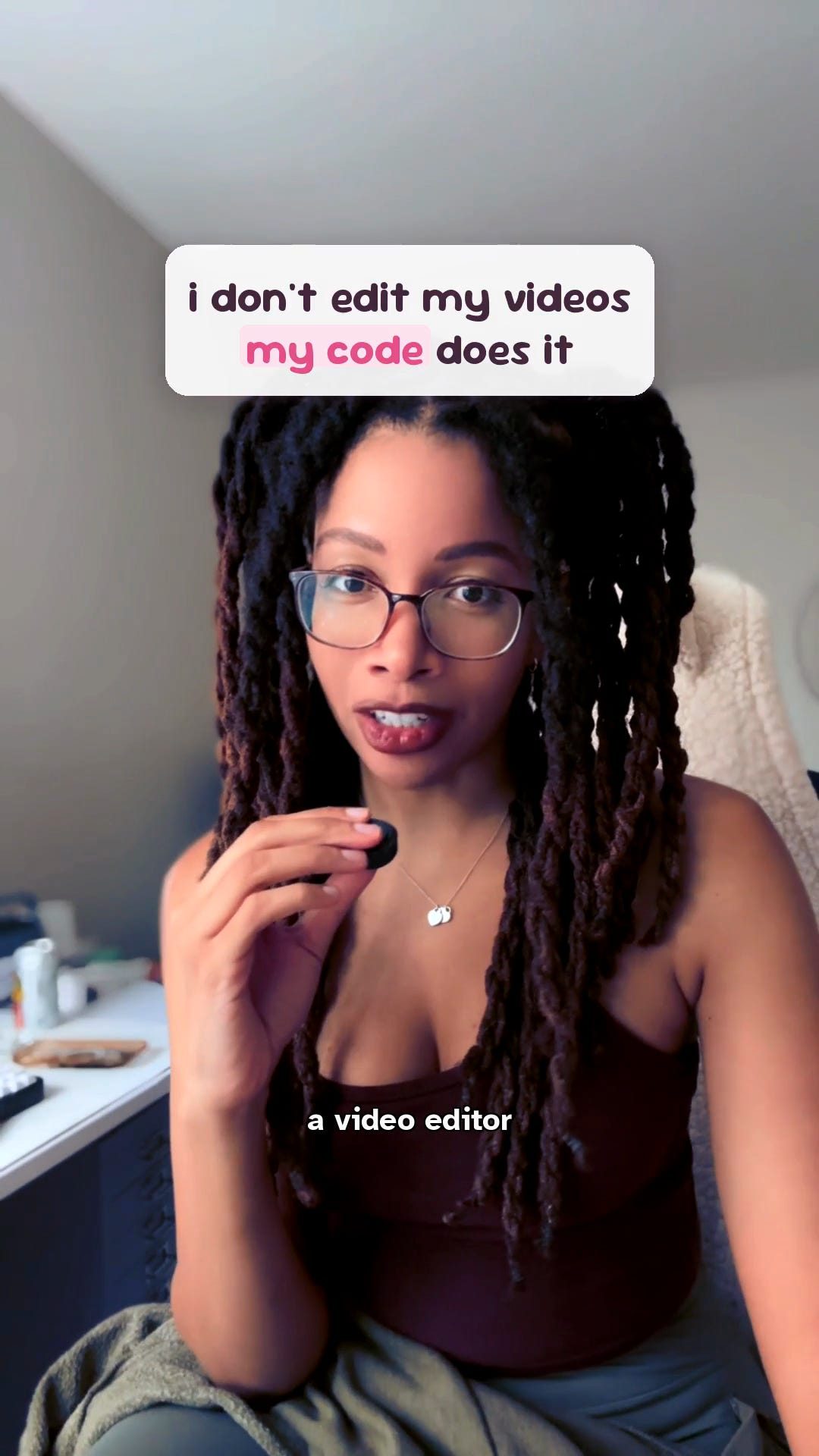
The hook frame. Yes, that text overlay was placed by the same tool this post is about.
A confession from a big-tech engineer.
After a decade writing software for a living, the most useful thing I built this year wasn’t at work. It was the tool that edits these videos, so I never have to.
I don’t drag clips around anymore. I drop raw footage in a folder, talk to Claude Code in plain English, and it transcribes everything I said, cuts the filler and dead air on the word boundary, screenshots the exact article I’m talking about and drops it on screen synced to the word, burns in captions, color grades, and renders vertical at full resolution.
The honest headline: it isn’t one magic script. It’s two open-source tools wired together with Claude Code as the conductor. By the end of this you’ll have the exact prompts to stand up the same thing.
This is not a video generator. It’s a real editor. I’m not typing “make me a video.” I’m directing a tool that cuts my footage with real receipts. That distinction is the whole point, so hold onto it.
Part 0: The Problem (why I refused to open CapCut ever again)
Here’s the math that broke me.
A talking-head video is maybe 90 seconds. Editing one by hand was an hour. Scrub the timeline, find every “um,” nudge the cut so it doesn’t clip me mid-syllable, hunt down the article I referenced, screenshot it, place it, caption every line, export, realize the caption sits under the TikTok buttons, do it again.
I post a lot. That hour, every day, was the tax.
And I’m an engineer. We have a specific allergy: if I have to do a fiddly thing more than twice, I will spend forty hours automating the two-hour task and feel nothing but joy.
So I did.
The rule I started with: edit the transcript, and let the video follow. Everything else came from that one idea.
Part 1: The Stack (the three real pieces)
Three things. Two are open source. The third is the glue.
1. video-use, the cutting engine. (I run a small fork with a few house tweaks.)
It transcribes the footage with word-level timestamps (using ElevenLabs Scribe), reads the transcript, finds the filler, the dead air, and the retakes, and produces an EDL, an edit decision list of keep and cut ranges. Then it cuts with ffmpeg snapped to word boundaries, so it never clips me mid-word. This is the high-value core. It turns an hour of dragging clips into deleting some words.
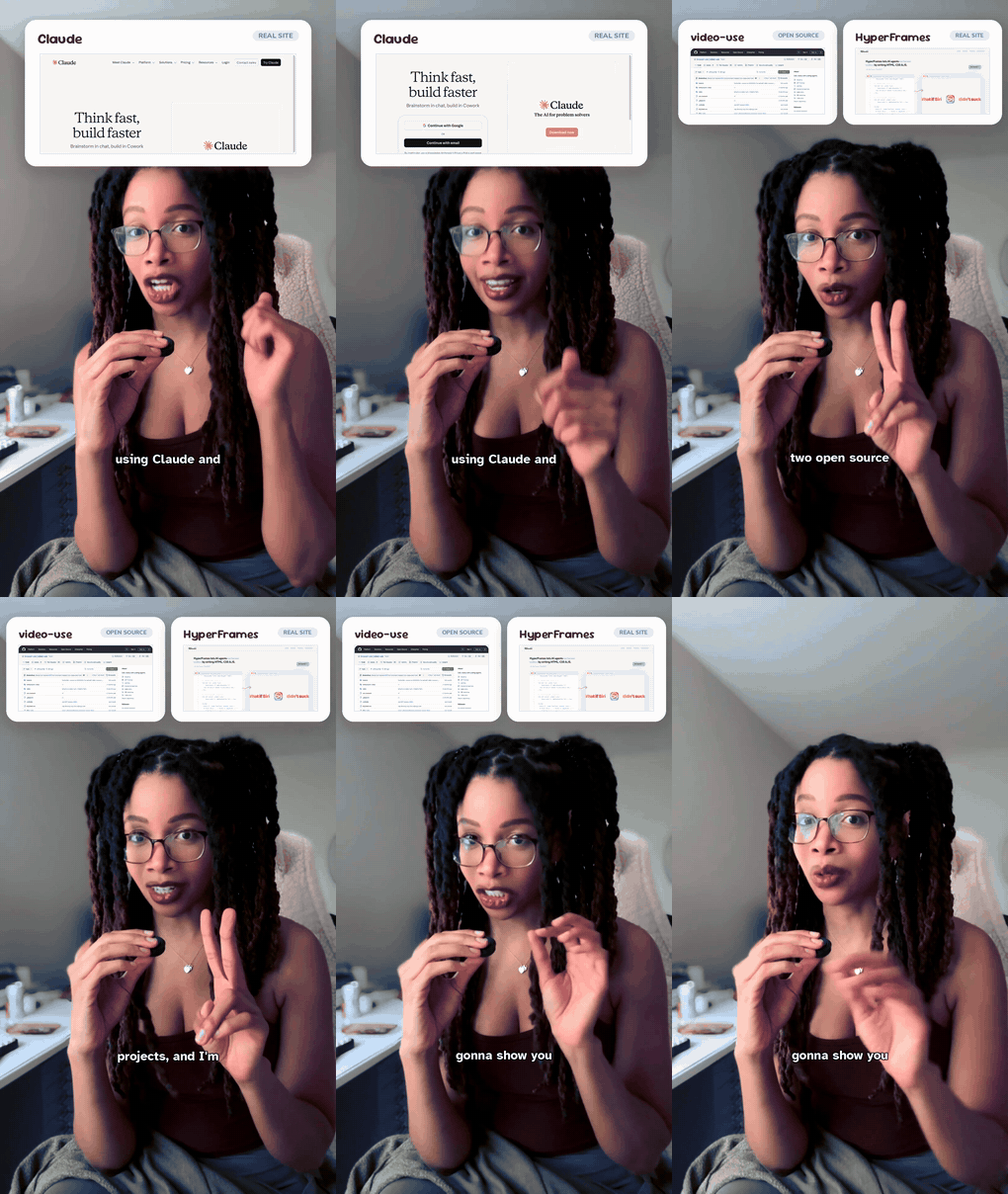
video-use, the transcript-driven cutter. The lesser-known half of the stack, and the part that does 80% of the work.
2. hyperframes, the motion-graphics renderer.
You author overlays, title cards, and lower-thirds as HTML and CSS (with GSAP if you want motion) and it renders them to video, transparent or composited. It’s how the graphics get made without ever opening After Effects. A title card is just markup.
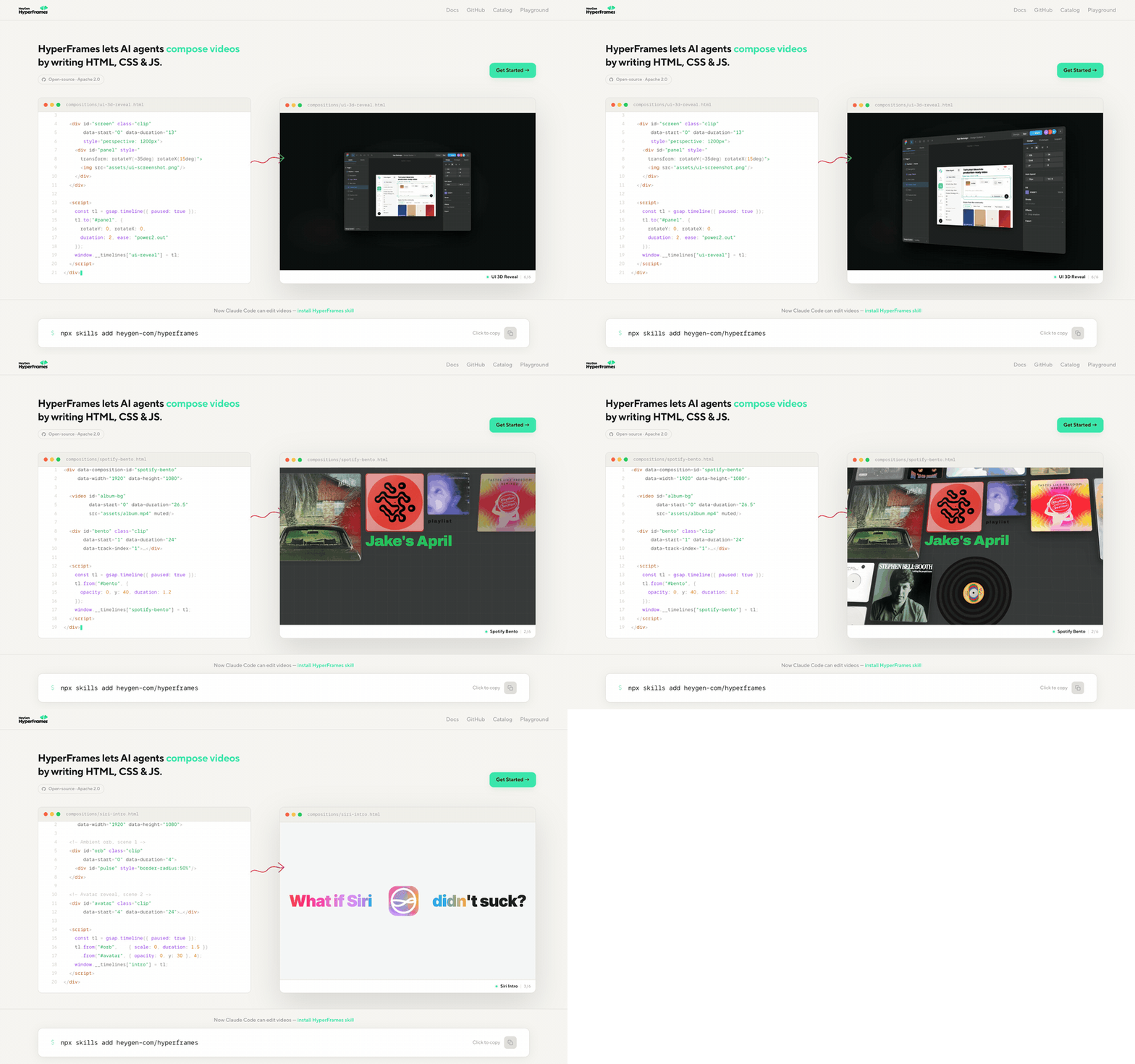
hyperframes. HTML in, motion graphics out.
3. Claude Code, the conductor. This is the actual “AI editor.”
A CLAUDE.md file documents the studio: house defaults (9:16 vertical, preserve source resolution, captions burned in last), where projects live, the pipeline order. A video-studio orchestrator skill is the brain. It reads my style notes, transcribes, proposes a cut in plain English, waits for my OK, executes via video-use, then decides where a graphic earns its place and calls hyperframes.
hyperframes. HTML in, motion graphics out.
The orchestration is the product. The tools are off the shelf. The value is the conductor plus the taste.
Prereqs (one time): git, node 22+, python3, ffmpeg, uv for the Python deps, bun for hyperframes, and an ElevenLabs API key for transcription.
Part 2: The Setup Prompt (paste this into Claude Code to scaffold your studio)
Run this in an empty repo. It stands up the whole skeleton.
I'm building a personal AI video-editing studio in this repo, orchestrated by you
(Claude Code). Set up the scaffolding. Read anything you create back to confirm it works.

## Vendor the two open-source tools into tools/
- Clone https://github.com/browser-use/video-use into tools/video-use
  (transcript-based cutting; Python, install deps with `uv sync`).
  It needs an ELEVENLABS_API_KEY in a .env.
- Clone https://github.com/heygen-com/hyperframes into tools/hyperframes
  (HTML to MP4 motion graphics; Node 22 + Bun, `bun install && bun run build`).
- Add a setup.sh that clones/updates both, installs their deps, and verifies
  ffmpeg + the ElevenLabs key. Make it idempotent.

## Write a CLAUDE.md documenting the studio (house rules)
- Output: 9:16 vertical, PRESERVE the source resolution (never downscale;
  1080x1920 is the floor, used only for quick previews).
- Editing happens on the TRANSCRIPT first, not the timeline. Transcribe, propose
  a cut in plain English, I confirm, then execute. Never render before I approve.
- Subtitles: short chunks, burned in LAST in the filter chain.
- Every project lives in projects/<YYYY-MM-DD-slug>/ with raw/ (source),
  edit/ (transcripts + EDL + cut), compositions/ (hyperframes HTML), renders/.

## Write a video-studio orchestrator skill (.claude/skills/video-studio/SKILL.md)
The conductor. When I drop a video in a project's raw/ and say "edit this," it
should: transcribe with video-use, propose a filler/silence/retake cut as
plain-English ranges, WAIT for my OK, execute the cut, then suggest 2-3 spots
that want a graphic and offer to build them in hyperframes, then render vertical
at native resolution. It decides when to delegate to video-use (cutting) vs
hyperframes (graphics).

After setup, give me the exact commands to run, and a one-line
"drop a video here and say edit this" quickstart.
That gets you the same skeleton I run. Everything after this is per video.
Part 3: How It Actually Edits (the receipts)
This is the part I care about. Anyone can say “AI edits my videos.” Here’s the proof, step by step.
3a. It transcribes everything. Every “um” is in a file now.
First it transcribes the footage with word-level timestamps. Every filler word, every restart, every dead pause, flagged.
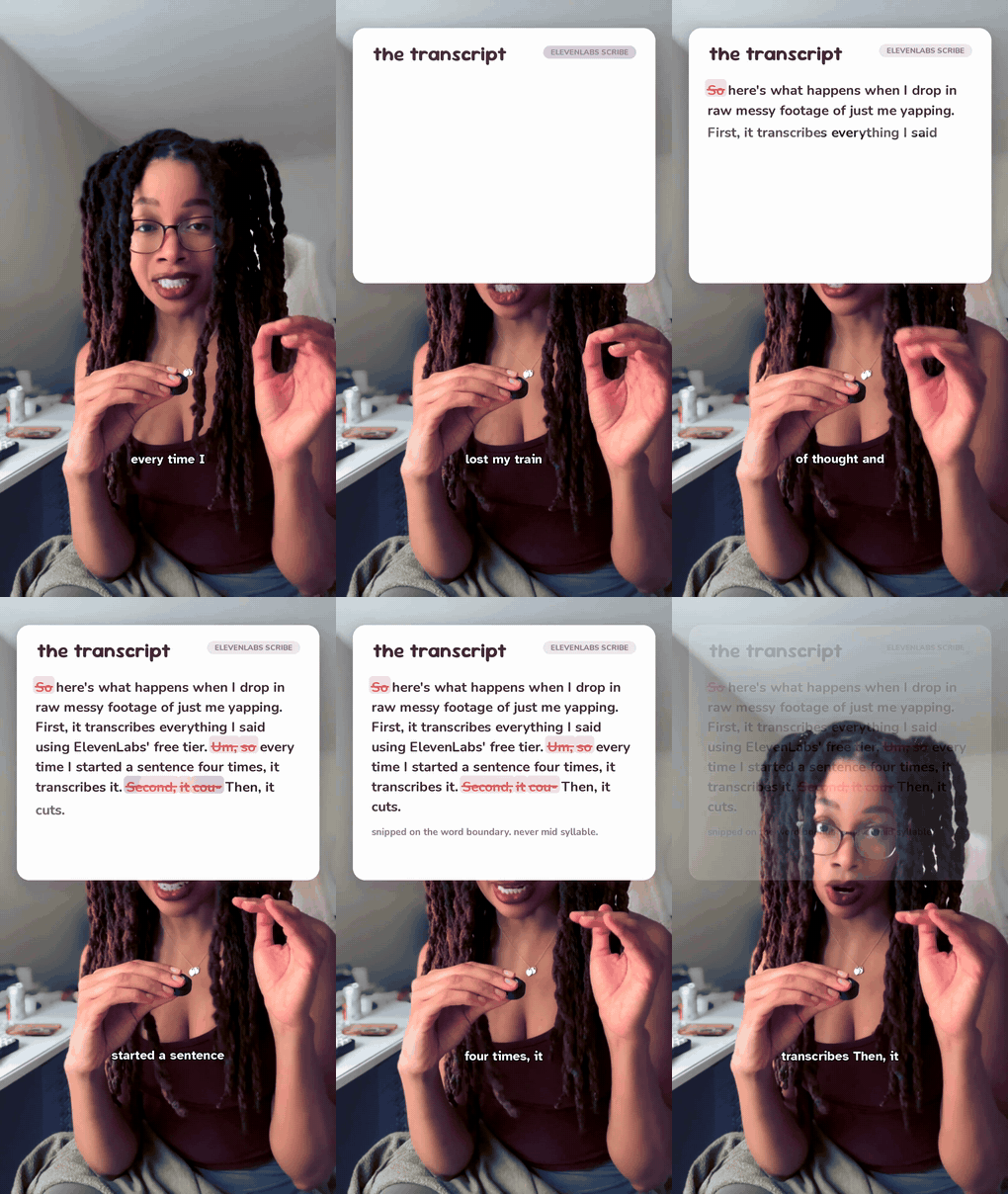
Every “um” I’ve ever said is now a row in a JSON file, and I have to live with that.
3b. The cut. A 2:52 ramble becomes a tight 1:13, on the word boundary.
Then it cuts. It reads the transcript, finds the filler and retakes and silence, and snips them out, snapped to the word boundary so it never clips my voice mid-syllable. The raw take for this very video was 2 minutes 52 seconds. The cut is 1 minute 13. I dragged zero clips.
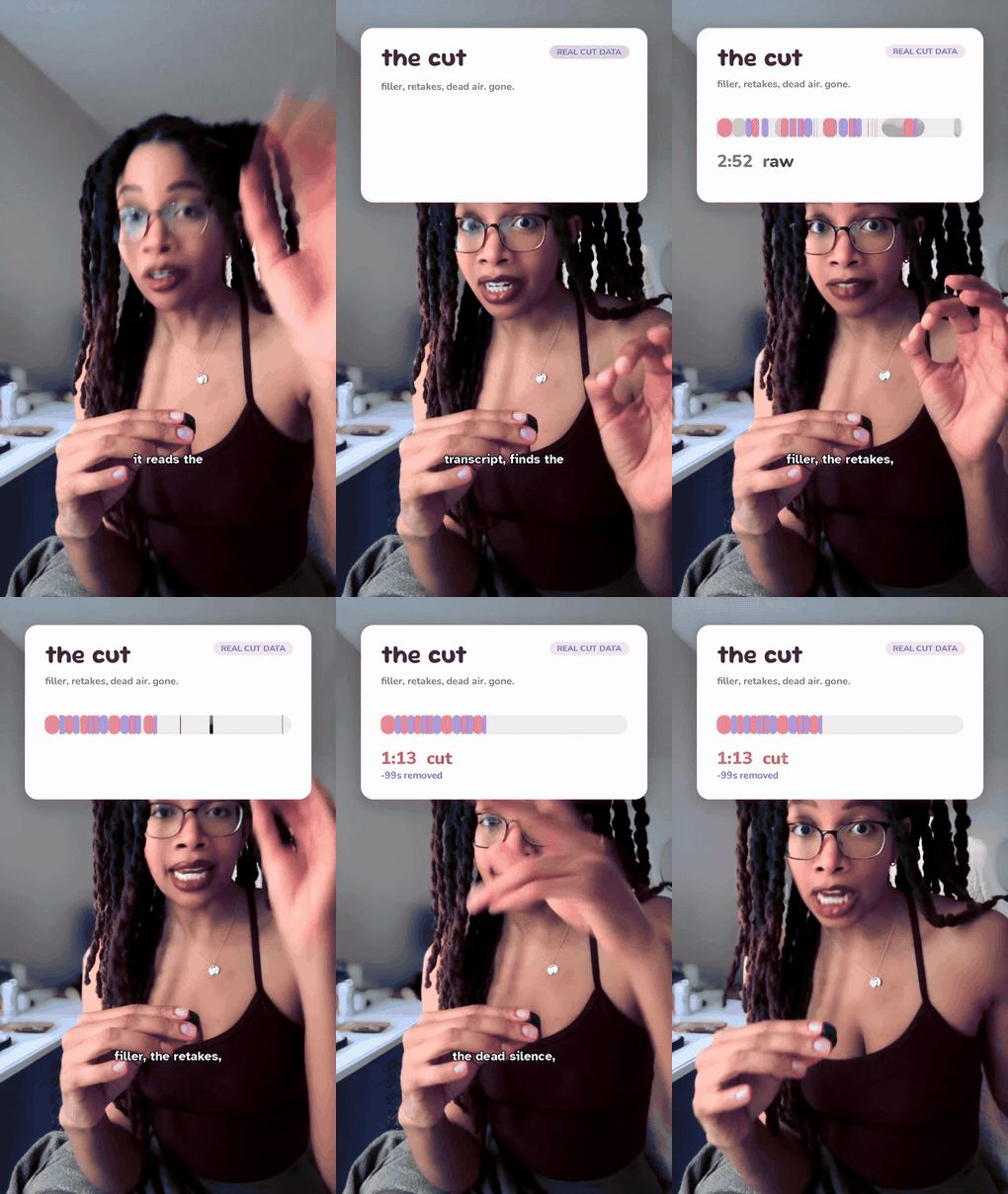
The cut, as it happens. Minus 99 seconds. Real data, not a vibe.
My timeline is a JSON file. That isn’t a metaphor. The edit is literally a list of keep-ranges, each labeled with what it is, that I can read and tweak in plain text:
{
  "project": "i-built-an-ai-editor",
  "grade": "colorbalance=rm=-0.08:bm=0.13,eq=contrast=1.06:saturation=1.12",
  "ranges": [
    { "start": 0.57,  "end": 10.47, "beat": "hook" },
    { "start": 36.16, "end": 40.62, "beat": "say the sentence, it transcribes it" },
    { "start": 53.20, "end": 58.30, "beat": "then it makes the cut" }
  ],
  "total_duration_s": 73.34
}
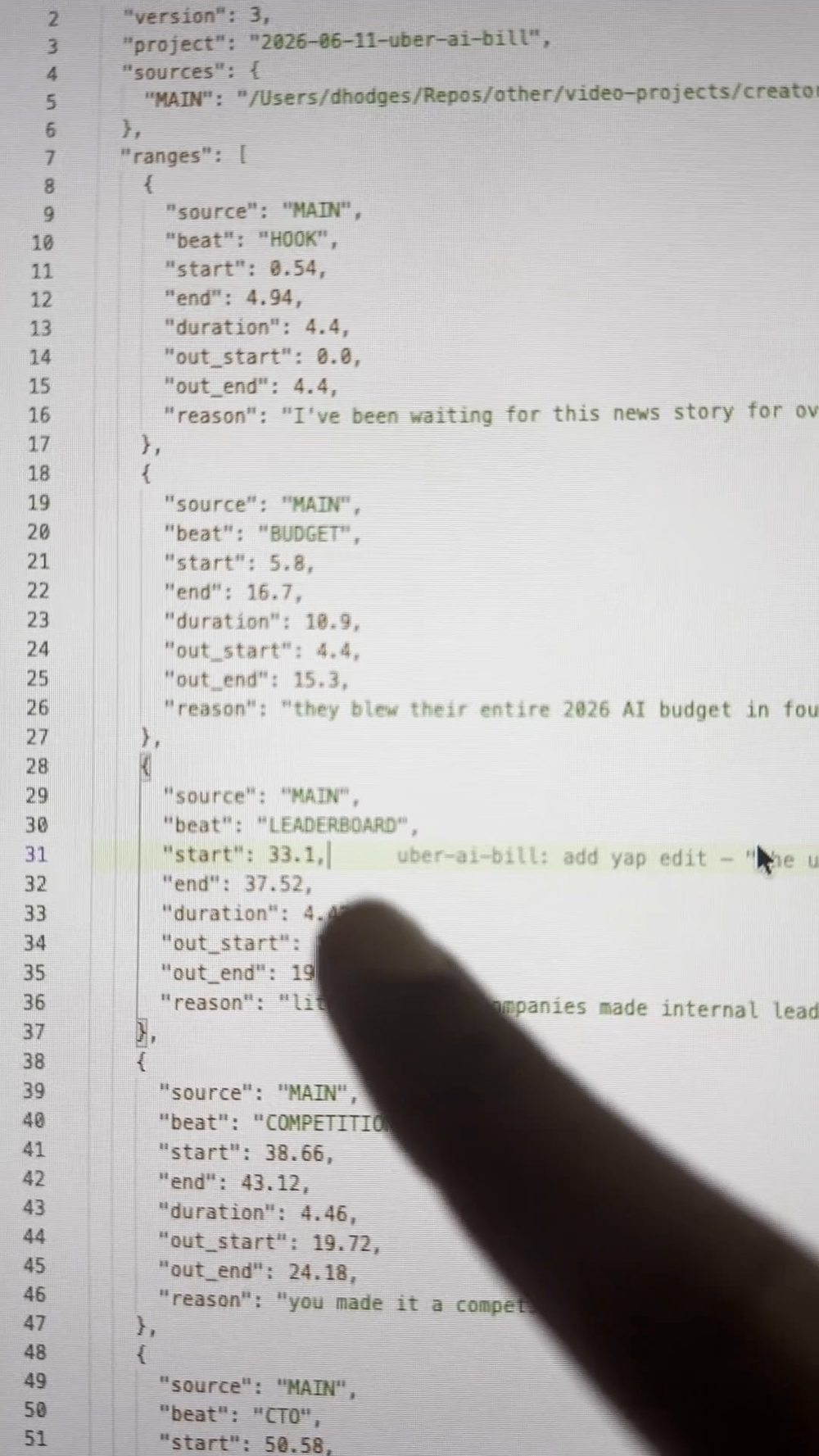
The edit decision list, scrolling. This is what “editing” looks like for me now. I read a file.
The nerdy detail I’m weirdly proud of: when a beat ends right before a hard cut, the transcription tool lumps my trailing breath into the last word. So the editor runs silence detection to find where my voice actually stops, and cuts the breath instead of the word. It’s a 50-millisecond thing nobody will ever consciously notice, and that’s exactly the point.
3c. It illustrates me. The part that makes people uncomfortable.
This is the differentiator and the reason I keep saying not a generator. The editor reads what I’m saying, finds the actual article or figure I’m referencing, screenshots the exact line, and drops it on screen the moment I say it.
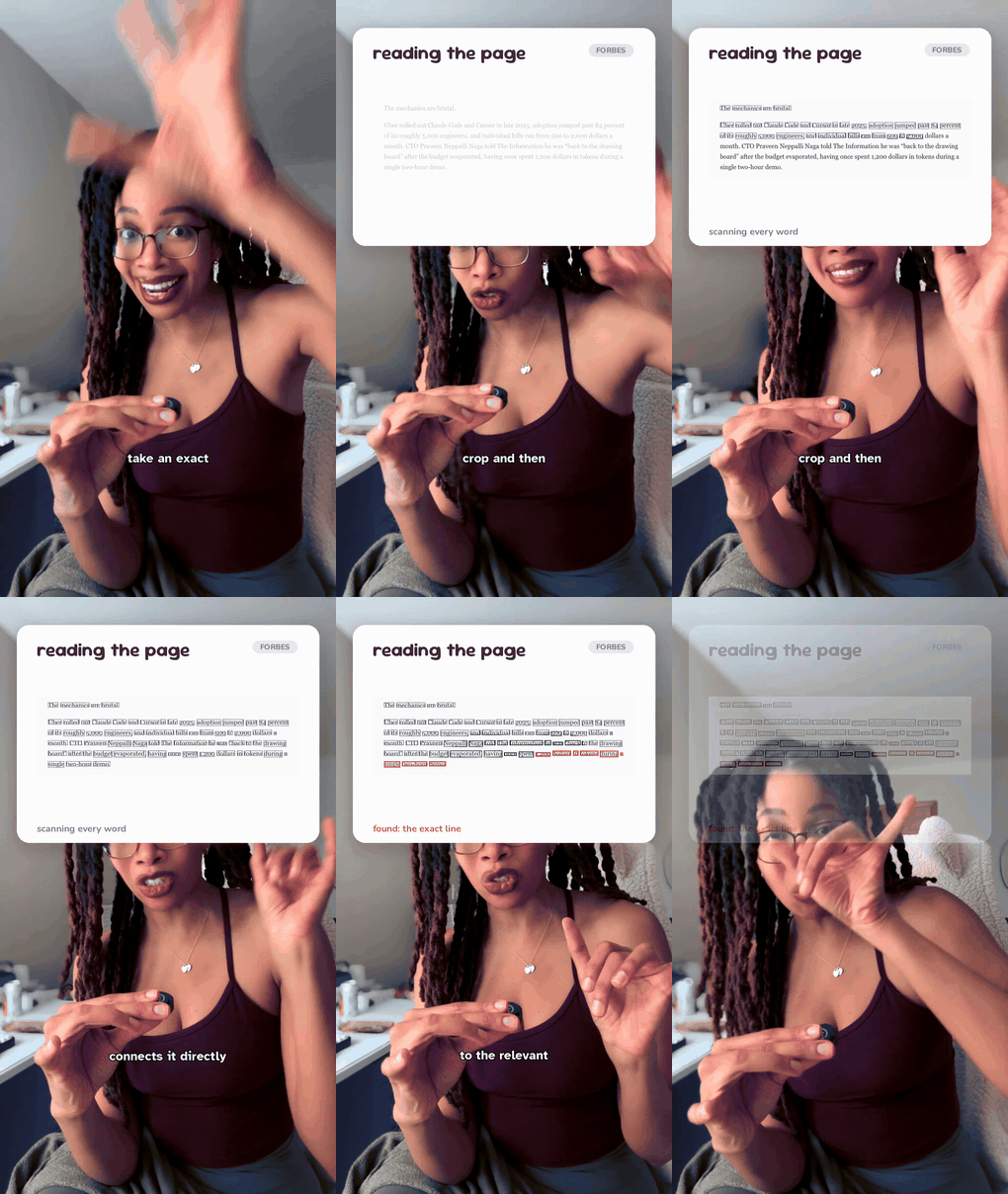
It scans the real page, finds the exact words, and boxes them. It finds the receipt. It doesn’t invent one.
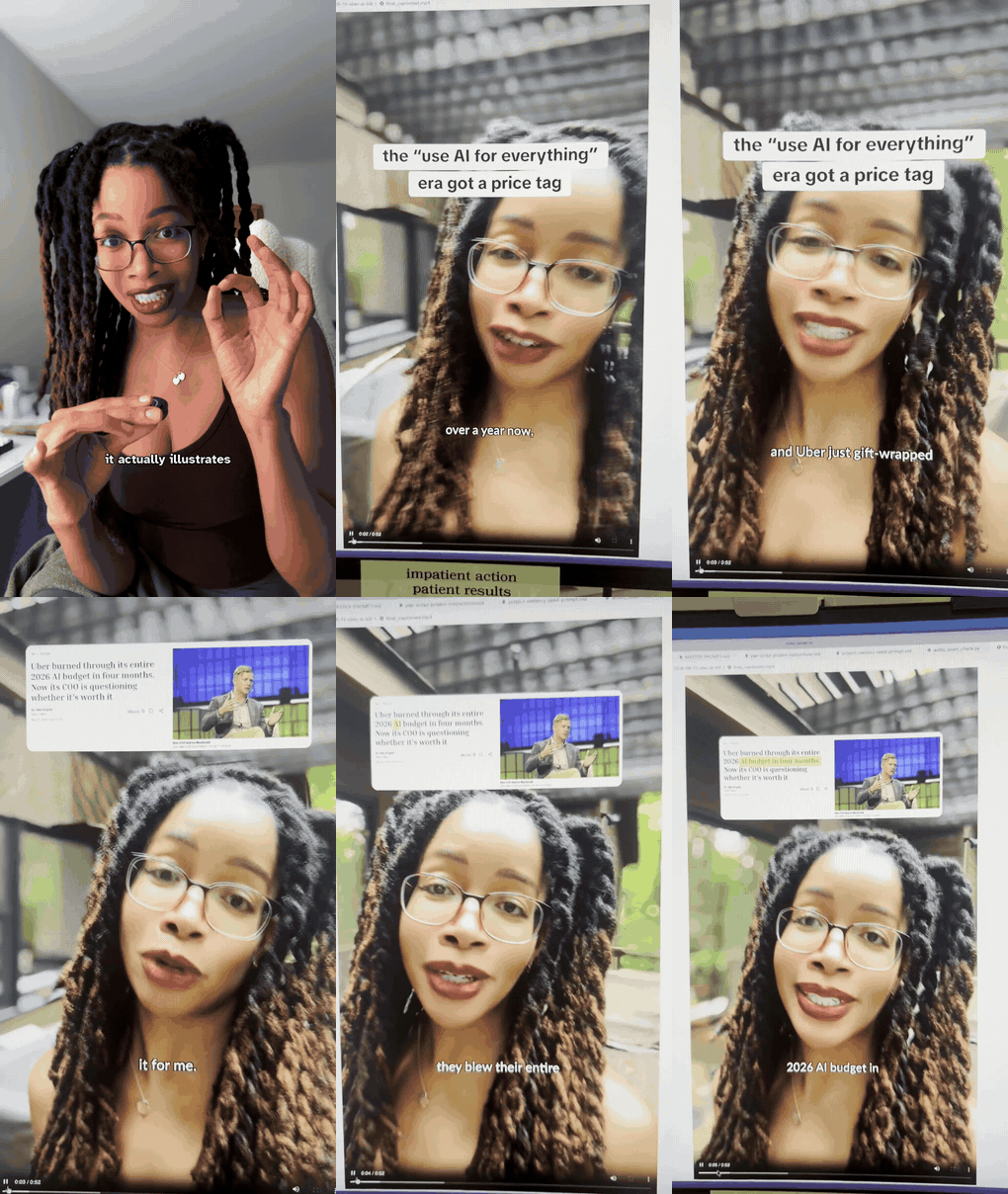
The money shot. The real figure pops onto the talking head, synced to the word. A generator gives you a vibe. This gives you a citation.
A generator hallucinates a screenshot. A real editor screenshots a real thing. Every receipt you see in my videos is a real article I actually opened.
3d. The color grade, chosen like data, not vibes.
It can also grade. When I wanted a warmer, less-yellow indoor look, I didn’t eyeball a slider. I had it render a contact sheet of options with the actual settings on each, and picked.
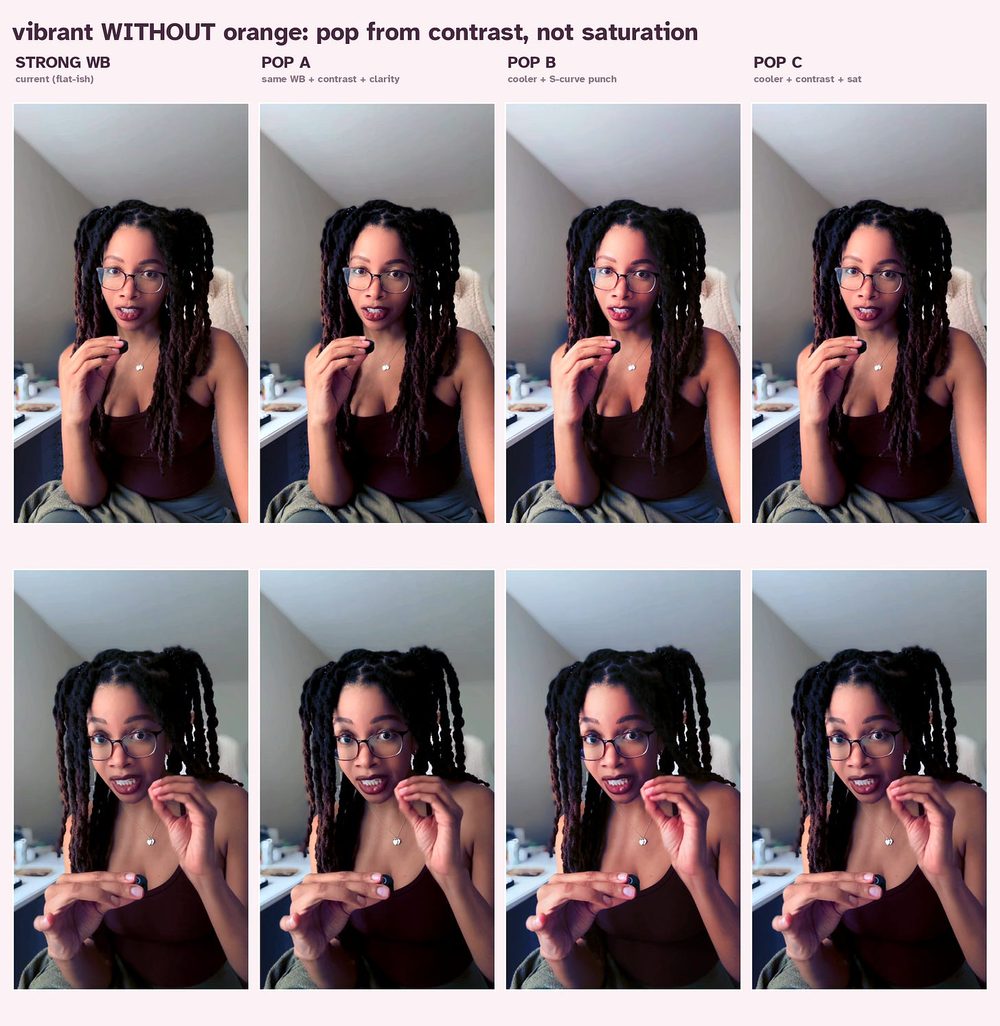
Color grade options, rendered as a comparison grid with the real settings baked in. Pick, don’t guess.
3e. Captions, then render.
Captions get burned in last (so nothing draws over them), in a hyperlegible bold face sized to clear the TikTok UI, word-synced. Then it renders vertical at the native source resolution. If I shot 4K, the deliverable is 4K. No downscaling, ever.
And the whole thing is one conversation. I tell it what I want, like talking to an editor who happens to be a few thousand lines of code.
Part 4: The Driving Prompt (the per-video loop)
Once it’s set up, editing a video is a single conversation. This is the prompt:
There's raw footage in projects/<today>-<slug>/raw/. Edit it.
1. Transcribe it with video-use.
2. Propose a cut: pull the filler, the dead air, and any retakes. Show me the
   TRANSCRIPT with the cut spans marked + a one-line reason each, and WAIT for
   my OK before cutting anything.
3. After I approve, make the cut (snap every cut to a word boundary; don't clip
   me mid-word) into edit/base.mp4.
4. Then suggest 2-3 moments that would land better with a graphic or an
   on-screen figure, and we'll build those in hyperframes.
5. Render vertical at the source resolution. Don't downscale.
The whole philosophy is in step 2. Decisions on the transcript, in plain English, confirmed before any render. I’m always in the loop. It never surprises me with a render.
Part 5: The Honest Part (start small)
If you’re going to build this, build it in the order that pays you back fastest.
- The cut is 80% of the value. Start there. Just video-use plus Claude Code already turns editing into “delete words.” Get that saving you hours before you touch graphics.
- Graphics are optional polish. hyperframes is great, but add it once cutting is paying off. Don’t front-load it.
- The “illustrate” layer is advanced. Auto-screenshotting the exact figure I’m talking about is something I added on top over time, not on day one.
- It’s a workflow you direct, not a button. The magic is the review loop. You approve the cut, you pick the graphic. The first pass is a draft. You steer it to done.
- Use real sources. Screenshot real articles and figures. Don’t let it invent them. A real editor, not a generator.
- You can fork the tools. I run a small fork of video-use to bake in house tweaks (frame-rate handling, a grade preset) as normal commits. Easy to do, and it keeps the upstream syncable.
Resources
- video-use (transcript-based cutting): github.com/browser-use/video-use
- hyperframes (HTML to motion graphics): github.com/heygen-com/hyperframes
- Claude Code (the conductor): claude.com/product/claude-code
- ElevenLabs Scribe (word-level transcription): elevenlabs.io. You’ll want a free API key.
- Prereqs:
git,node 22+,python3,ffmpeg,uv,bun
The Truth Nobody Tells You
Everyone’s scared that AI is going to flatten everyone’s taste into the same gray slop. And honestly? A lot of what’s getting shipped is slop.
But here’s what building my own editor taught me. The AI didn’t replace my taste. It deleted everything standing between me and my taste.
The filler-trimming, the timeline-scrubbing, the screenshot-hunting, the caption-nudging. None of that was ever the creative part. It was the tax I paid to get to the creative part. Automating the boring 80% didn’t make my videos more generic. It gave me back the hour I now spend on the 20% that’s actually me. The joke, the timing, the take.
Build the tool that does your taste. Then go make the thing only you can make.
I don’t have an editor. I have a repo. And it ships.
-Deonna
liked this? watch the build.
new builds every week. or get the occasional email below.