i built an app to settle arguments (and it’s sneakily a great product template)
I had a dumb problem that’s also kind of universal:
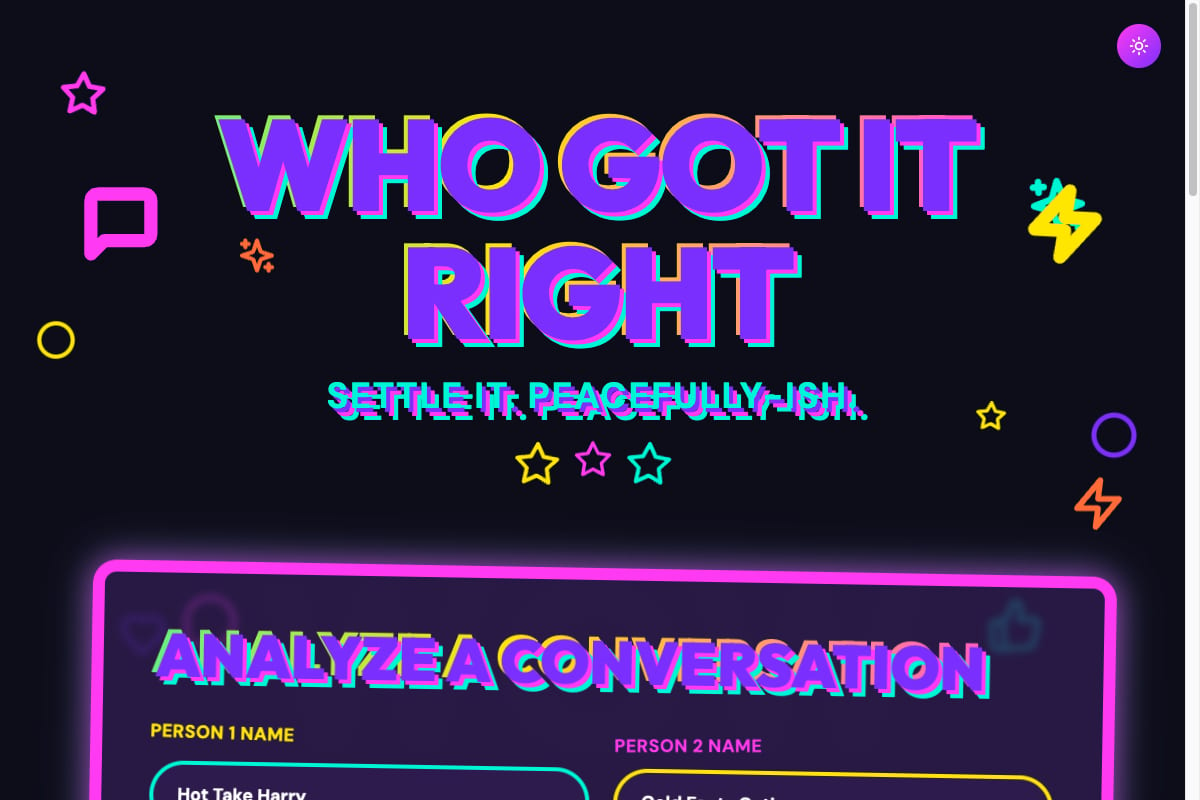
I had a dumb problem that’s also kind of universal:
You get into an argument. You’re 90% sure you’re right. The other person is 110% sure they’re right.
And now you’re stuck in the worst place in modern life: the “long text explanation” zone.
So I did the only reasonable thing.
I built an app.
It’s Called “Who Got It Right”
You paste a conversation (or upload screenshots) and it spits out a verdict card you can screenshot.
Live at: whogotitright.com
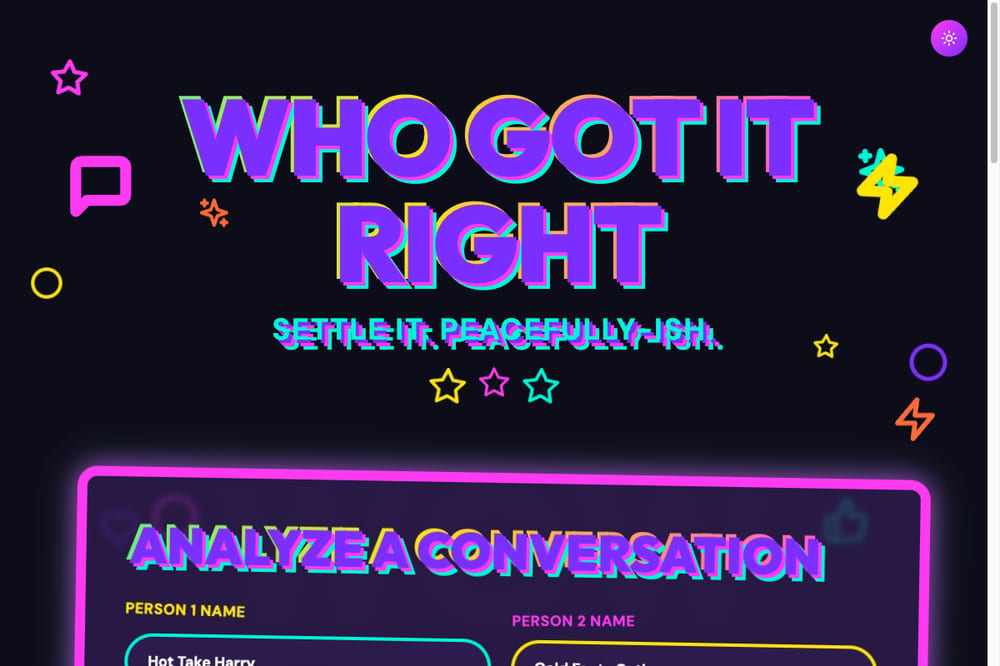
The hero shot. Yes, it’s aggressive. That’s the point.
Here’s the fun part: the app is cute, but the process is the real value. It’s a repeatable playbook you can use to build basically any small AI product in a weekend.
Let me show you how I did it.
The Product: Turn Messy Text Into a Shareable Verdict
Input:
- Paste a text conversation (or upload up to 5 screenshots)
- Optional context
- Two names (defaults are funny if you leave them blank)
Output:
- “Who won” or “tie”
- Confidence %
- Toxicity score (0-100 with labels like Calm → Nuclear)
- Red flags (no diagnosing, just patterns)
- Receipts (quotes + why they matter)
- Suggestions for what each person should say next
- Downloadable PNG for sharing
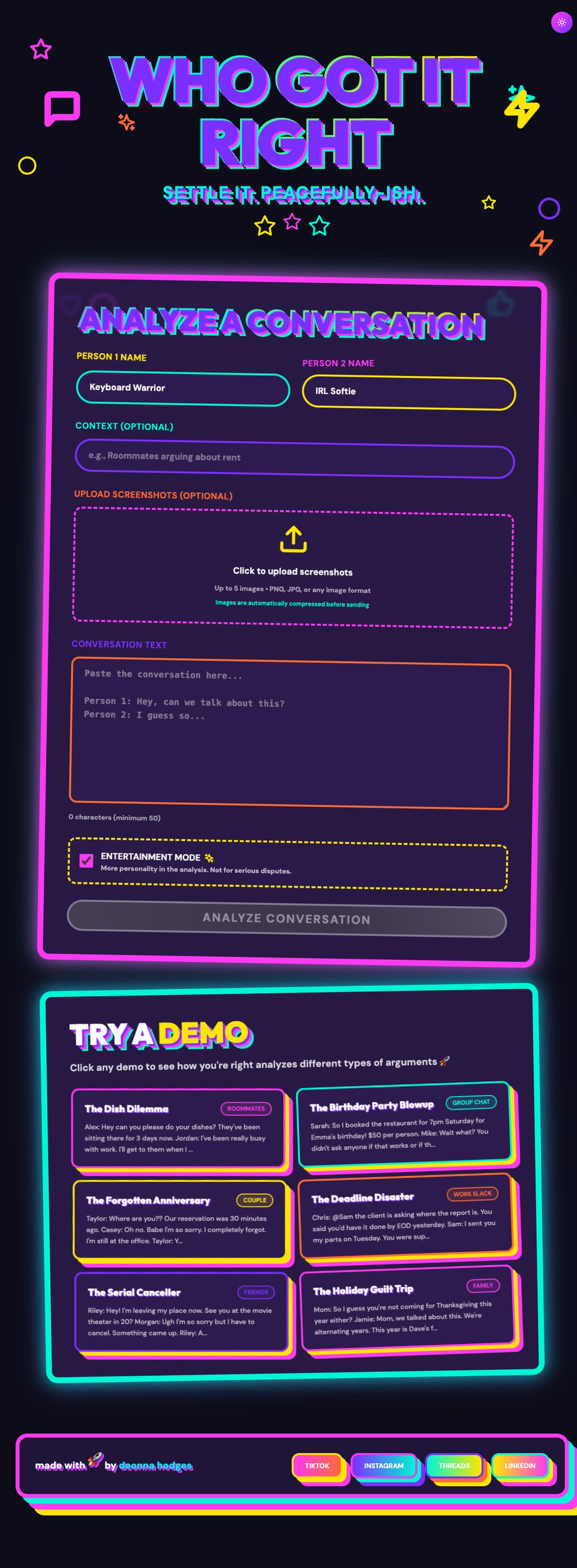
Full homepage. Demos at the bottom = instant engagement hack. Nobody wants to type first.
The key is: it’s memeable but not cruel.
More “fun scoreboard” than “relationship weapon.”
That tone decision matters because every AI app becomes a weapon unless you design it not to.
The Playbook I Used (Steal This)
Step 1: Write the Spec Like You’re Trapping a Genie
If you want AI tools to build a real app, don’t vibe. Don’t “describe the idea.”
Write a spec so clear it feels annoying.
I basically wrote:
- Home screen sections
- Results screen sections
- Exact fields
- Exact labels
- Edge cases
- Behavior rules
- What NOT to do (no storing personal info, etc.)
This is the biggest lever.
The spec is the product.
If you do this well, the rest becomes “implementation.”
Step 2: Use Bolt for the Build Loop
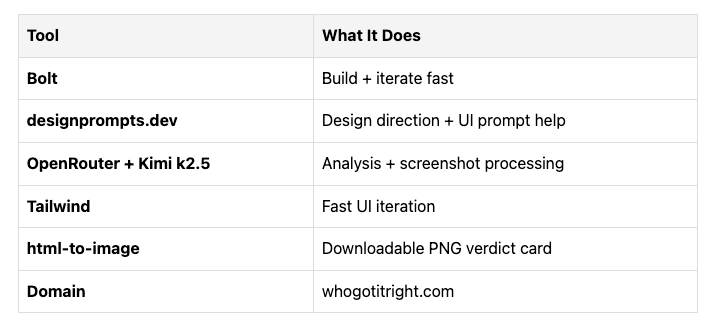
I built it in Bolt (React + TypeScript + Tailwind). It’s perfect for:
- Scaffolding fast
- Iterating via prompts
- Shipping without a whole devops side quest
Early decision that sped everything up: no database in v1.
No persistence, no storage, no moderation headaches. It’s a session app. Fast to ship.
I did add “Try a demo” arguments because that reduces friction and makes the app feel alive instantly.
Step 3: Use OpenRouter So You Can Swap Models Like Socks
I ended up using Kimi k2.5 via OpenRouter.
OpenRouter is underrated because it gives you a clean API and you can switch models without rewriting your whole app.
The big thing: structured output.
The app only works if the model returns predictable JSON:
- verdict (p1/p2/tie)
- confidence
- toxicityScore
- argumentType
- redFlags (2-4 items from a fixed list)
- receipts (3-7 items: quote + explanation)
- suggestions (what each person could say)
If you don’t force structure, your UI becomes a haunted house.
Step 4: Fix the “AI Will Freestyle” Problem
At one point I got “Communication Issue” four times in the red flags.
Why? The model returned flags that didn’t match the UI’s enum, so the UI fell back to a generic label.
This is the difference between “cool demo” and “actual product.”
The fix:
- Explicitly list the valid red flag options in the prompt
- Validate the model output against your enum
- Filter invalid flags
- Tell the model to return 2-4 distinct flags
This is the unsexy part. This is also where products are born.
The Viral Mechanism Is Not the Verdict. It’s the Screenshot.
Here’s what makes it shareable:
1. A Single Exportable Card
Verdict banner + toxicity gauge + red flag chips + argument type.
That’s the “Instagram story” slice.
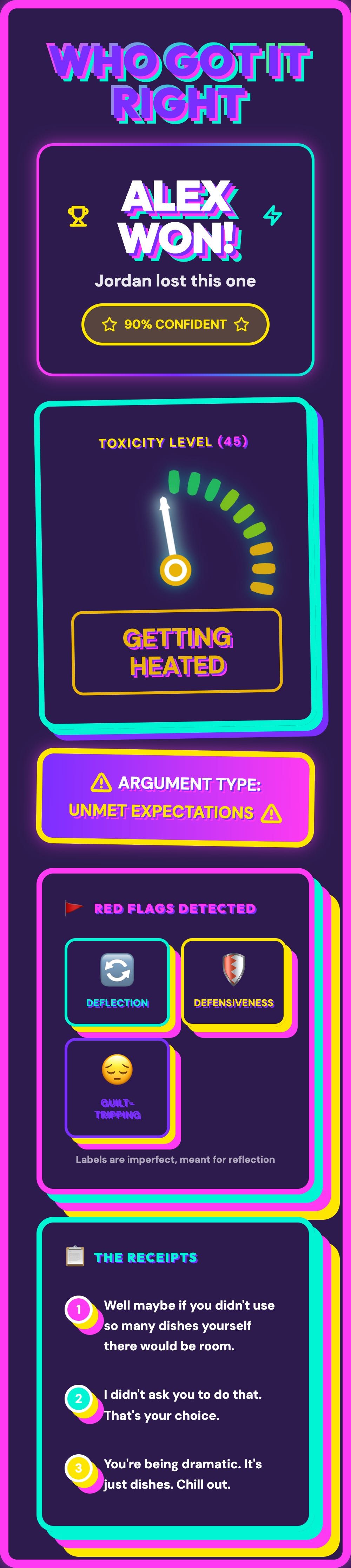
The verdict card. This is what gets screenshotted and sent to group chats at 2am.
2. Receipts
People love receipts. They want quotes. Give them quotes.
3. Funny Loading Messages
This is underrated. Loading screens are dead time unless you make them entertaining.
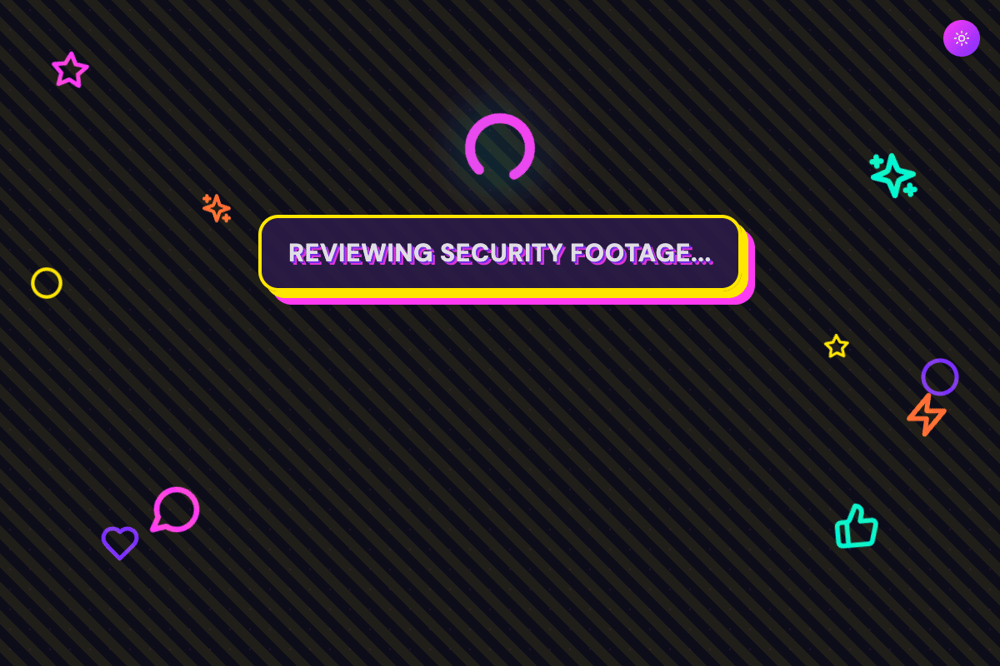
“Reviewing security footage...” - Loading screens should be part of the experience.
So I added a rotating list of ridiculous lines like:
- “Calling judge judy…”
- “Measuring toxicity in millipetties…”
- “Downloading more RAM for this drama…”
People screenshot those too. That’s free brand building.
Step 5: Add Screenshot Uploads (Because Nobody Wants to Paste Text)
This was obvious once I shipped v1: real conversations live in screenshots.
So I added:
- Upload support
- Expanded to up to 5 screenshots
- Client-side compression before sending to the API
Compression is important because otherwise people upload five 4MB iMessage screenshots and your app turns into a fax machine.
Step 6: Brand Stamp It (So the Memes Trace Back to You)
I added a footer with my socials and a little signature line:
“made with [random emoji] by @deonnahodges”
This is important because verdict cards will get reposted without context.
You want the product to be its own distribution channel.
The Full Results Page
Here’s what a complete analysis looks like:
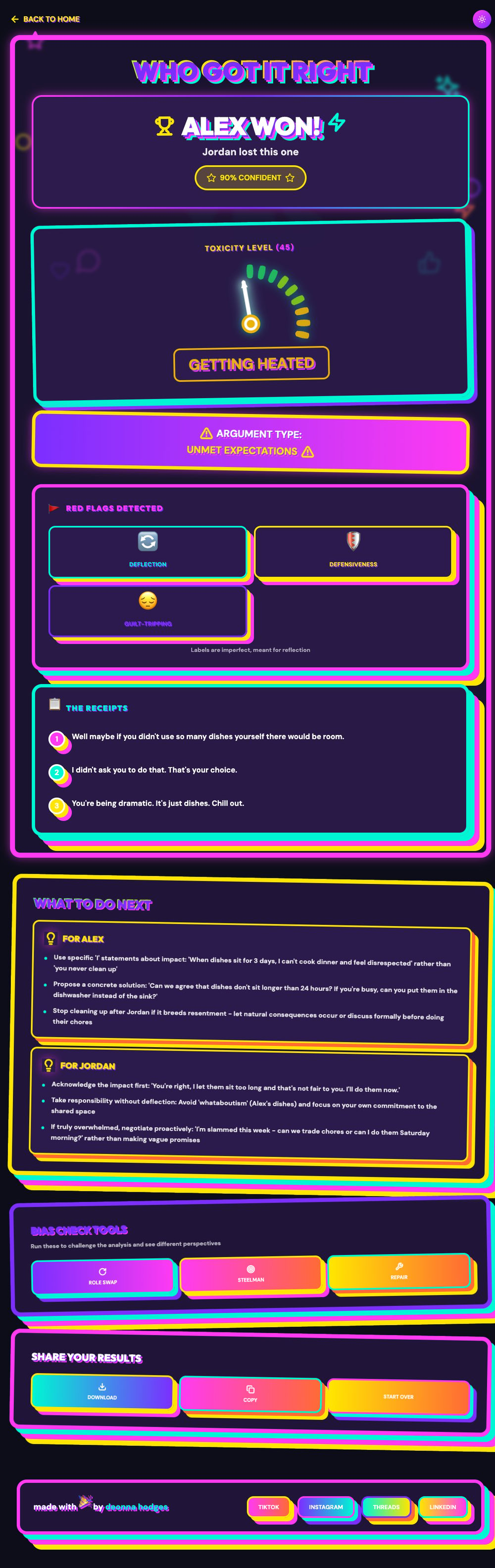
Everything you need to win an argument. Or at least feel validated.
My Exact Stack
The Meta Lesson: “AI Wrapper Apps” Win When They Have 3 Things
Most people build “wrapper apps” and they feel thin.
The good ones have:
- A tight output format
- A shareable artifact
- A loop that makes it fun to try
That’s it.
People don’t pay for intelligence. They pay for packaging.
If I Were Pushing This Further
A few obvious upgrades:
-
Better screenshot parsing (weird iMessage spacing, multi-chat screenshots)
-
Share links (opt-in) so you can send a result page
-
More “bias check” modes:
- “Assume best intent”
- “Rewrite as nonviolent communication”
- “What would a therapist say”
-
Rate limiting / abuse prevention
That’s the Build
If you want to steal the template: pick any messy input people already screenshot, run it through a model, output a shareable card.
That’s a product.
And if you try whogotitright.com, please tag me. I want to see the drama.
Made with 💯 by @deonnahodges
liked this? watch the build.
new builds every week. or get the occasional email below.